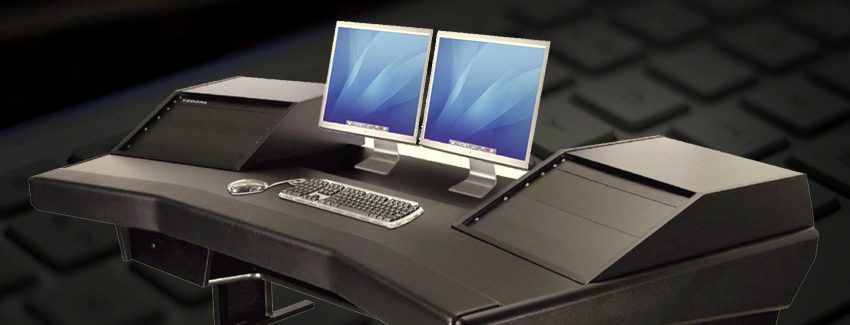
Dual Monitors – Double the Output?
Posted by Kitarra on October 15, 2009 · Leave a Comment
![]() |
Do you often find yourself opening multiple windows to cater for different requirements of your job, and personal life? Different business email accounts, various websites, the report you are working on, the site you are developing, etc. Have you ever thought about how it would be like to have another monitor to cater for all these? Sound exciting for you? While this can make your system unstable for a moment, it’s going to be a lot better in the long run.
Setting up dual monitor is quite easy. Check if your PC’s video card supports multiple monitors. If it does, then you’re good to go. Otherwise, simply add a second video card to your PC.
Let me run down a few advantages working with dual monitors. Aside from having the capability use a single mouse to drag and drop windows, files, etc from one monitor to another, there are still a few tricks you can take advantage of. When properly setup Windows for two monitors; it will enable you to extend your Windows taskbar to the other monitor. With this, any application or window open from your first monitor can be transferred to the other one, hereby enabling you to increase your productivity by simply moving from one application to another without having to close and open them several times.
Dual Monitors also features a system called “Windows Management” to each window by simply pressing a single button to maximize the specific window on both monitors. Wallpapers work the same thing- you can have one extended on both screens or have separate one for each of them.
Thinking more about this, all features added together will definitely make lives easier and render us more productive, and able to attend to different tasks all at the same time.
Filed under Blog Post · Tagged with dual monitors, two monitors, video card, windows taskbar
-
Articles
- Defining your Website Tactic
- Time Commitments in Creating a Website
- Where to Get the Best Deals in Printer Ink
- Why You Need a Data Center Disaster Recovery Plan
- Getting a Web Hosting Provider
- Creating the Best Website
- The Difference between Toner and Ink Cartridges
- Cost Savings on Ink Printers
- Simple Steps to Speed Up your PC
- Things To Look At When Setting Up A New Website
- How to Easily Transfer Files from iPod to PC
- How to Maximize your Web Browsing Experience
- Dual Monitors – Double the Output?
- Online Data Backup – Helpful Tips
- Torn between a Desktop and a Laptop?
Pages
Tags
access website advantage external hard drive advertise website backup data backup data hard drive bandwidth browse internet computer speed cost savings ink printers data backup disk space drum dual monitors easy navigation experience web designer geographic location get laptop desktop computer graphic design hard drive how to transfer files ipod pc increase computer speed ink cartridge ink printer ink printers laser printer maximize web browser experience internet monitor output new website online data backup helpful tips remanufactured toner cartridges search engine security seo spread out information toner toner cartridge toner refill kit transfer files update website usb flash usb flash drive problem visitor web design web hosting website investment