How to Easily Transfer Files from iPod to PC

iPod to PC Conversion

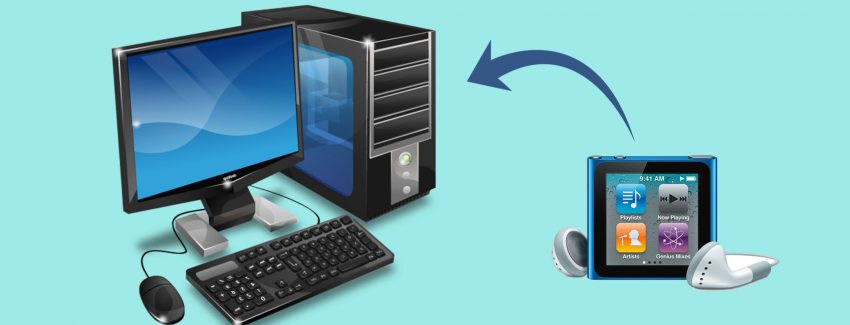
Many people have been using iPods because of the convenience of being able to watch movies, listen to music and save pictures in this sleek gadget. You can take this small but compact device anywhere. But there are instances that you need to transfer some data from your iPod to your computer and unfortunately Apple does not have any program that can do this. iPod files are hidden when you browse it using your computer. So iPod users are wondering on how they can get the files from their iPod to their computer or other device. If you are one of them, read the information below to know how you can do it.

Apple is very firm and does not want to breach copyright laws. That is why you cannot transfer files from iPod to your computer even if you are using iTunes. The only thing that they allow is transferring files to your iPod but not the other way around. So if you want to get files like videos, songs or pictures from your iPod and transfer them to your computer or in another iPod, your only option is to get a third party software. Software designers have come up with programs that can easily transfer files from iPod to computer. What is good about it is that most of these programs can be downloaded for free.

There are various programs available for free download in the internet that are helpful in transferring files from your iPod to your computer at no extra cost. So if you have an iPod and want some files to be transferred to your PC or in another device, then start surfing the net and find the software program that can do the job.

How to Maximize your Web Browsing Experience

Enchance Web Browser Experience

You are puzzled why it is taking you a lot of time to access a certain website. You availed of a high speed internet connection and there was no power outage in your area that would contribute to this issue. This scenario is a common concern of not only you but almost all internet users. I have listed the reasons why computers can be very slow especially when connecting to the internet. It is very important to identify these causes so that you will be able to know how to fix them.

One of the reasons why your computer is running slow is because you are using an old version of Internet Explorer. At the same time, the information stored in your browser may have piled up and you have never deleted them. If you do not manage your computers well, sooner or later, your Internet Explorer will definitely slow down. If the settings of your computer were changed erroneously, it can also affect the speed of your internet connection. In most cases, there are Trojans or viruses that can also cause your computer to slow down. How do you address this problem? Find below some useful tips.

Update your Windows Explorer – If you are still using the outdated version, it’s time to download the latest one. The updated version of the browser is way faster than the old one and it will provide quick response when you are browsing the net. If you have successfully downloaded the new Internet Explorer, remove the old first and then install the new one. Remember not to change the settings yet in order to be better acquainted on the old and new features that were added.

Check for Virus – It is important to check if your computer has been infected with virus, Trojans, spyware and adware. Ensure that you have an anti-virus installed in your pc and make it a point to always update it. Make it a habit to do a computer scan to guarantee that your pc is safe. If your anti-virus has the capability to detect spyware and adware, it will be very helpful since they greatly affect the speed of your computer. You usually get these viruses from visiting malicious websites. Aside from viruses, you should also check if your registry is working properly. If ever they get damaged, you can simply install a registry fixer and cleaner and it will do the job.

Dual Monitors – Double the Output?

Dual Monitors

Do you often find yourself opening multiple windows to cater for different requirements of your job, and personal life? Different business email accounts, various websites, the report you are working on, the site you are developing, etc. Have you ever thought about how it would be like to have another monitor to cater for all these? Sound exciting for you? While this can make your system unstable for a moment, it’s going to be a lot better in the long run.

Setting up dual monitor is quite easy. Check if your PC’s video card supports multiple monitors. If it does, then you’re good to go. Otherwise, simply add a second video card to your PC.

Let me run down a few advantages working with dual monitors. Aside from having the capability use a single mouse to drag and drop windows, files, etc from one monitor to another, there are still a few tricks you can take advantage of. When properly setup Windows for two monitors; it will enable you to extend your Windows taskbar to the other monitor. With this, any application or window open from your first monitor can be transferred to the other one, hereby enabling you to increase your productivity by simply moving from one application to another without having to close and open them several times.

Dual Monitors also features a system called “Windows Management” to each window by simply pressing a single button to maximize the specific window on both monitors. Wallpapers work the same thing- you can have one extended on both screens or have separate one for each of them.

Thinking more about this, all features added together will definitely make lives easier and render us more productive, and able to attend to different tasks all at the same time.

Online Data Backup – Helpful Tips

Online Data Backup

Backing up your data online has demonstrated to be a life-saving method for most companies, if they are keen on preventing unnecessary costs of lost data and information. This doesn’t only contribute to greater peace of mind, but will prove to be really beneficial in the long run. Imagine the damage that can be brought if your PC crashes. Years of data, photos, emails, vanished just like that. Imagine more if it’s your whole client database crashing without any back-up in place! Frightening, huh? That is precisely the reason most companies opt to employ an online data back-up system- to protect themselves from the trouble of data recovery, save on costs and avoid potential lawsuits or legal entanglements.

Most people associate data back-up as highly similar to paying for insurance. It’s something that you wish you never have to do, but completely grateful that you do it when you find yourself in need for it. Businesses of small size often place this at the bottom of their priority list. What, with all the demands of running their business mostly all by themselves or with a handful of people. Who will decide to spend their limited time going through the trouble of backing up data when customers are already knocking on their door waiting to be attended to? Reality is, business owners don’t realize just how important keeping a back-up of their hard drive is, unless they experience losing all of these.

Most businesses who have been unfortunate to experience damaging loss of vital information would now strongly recommend not only backing up the data, but also monitoring all information to ensure you’re fully covered no matter what happens. Common causes of problems affecting storage drives are computer crashing due to hardware failure, accidents like fire, natural disasters like floods, earthquakes, virus, software corruption or plain human error. These all have direct effects on our hard drives, and on our business if these data are not properly backed up.

Be forewarned though that data back-up is not as simple as it seems. If done incorrectly, you are still potentially vulnerable to the harsh effects of data loss. Here are some helpful tips to make this as easy and effective as possible. Seek professional advice by experts in this field- don’t be surprised to hear that merely transferring your files from hard drive to CD’s or external drives won’t work anymore. These experts have been specially trained to carefully assess what is most applicable for you and for your business.

Online data backup has proven to be the safest and most secure option to store your data. If you use a CD or another drive as back-up, there are still issues you will face: where to store the CD’s or drives, what if they are damaged? Switching to an online back-up system will free yourself from these troubles. Just be careful in choosing the right back-up provider- take time to research them, their past work and references.

Torn between a Desktop and a Laptop?

Laptop Computer

You have decided to buy a new computer and dispose the old one that has been with you for years. Before, your best option was to buy a desktop since you are already used to it. However, laptops have become very popular that you are torn on what computer to buy. Do you go for the desktop or are you willing to try the portable laptop? If you still have doubts on what to buy, try answering these five questions so that you will be able to know what type of computer is best for you.

Do you use a smart phone or a PDA?

High end phones such as PDA or smart phones now have the capability to do a lot of things that were once available to computers only. If you own a smart phone or PDA, then a traditional desktop may well suit you. A good example of a PDA is the blackberry that allows you to edit files and check your emails even if you are on the go. But first, determine if the things that you can do with these phones will be enough for you. If you are not keen on using a small keyboard, a desktop may be the best option for you.

Do you consider a computer as an accessory?
Having a laptop and using it in public has been a common scenario especially in coffee shops. Owning a laptop makes you look trendy and up-to-date with the latest technology.

Are you a constant traveller?
The main reason why people choose a laptop is the convenience of carrying it wherever they go. For people who travel a lot whether for business or leisure, they can definitely maximize their time and productivity. By working while travelling or simply going online to surf the internet, carrying a laptop has proven to be very useful.

Are you particular with the specifications?
It is very easy to put together your own desktop since you can buy the parts individually and create a computer that will cater to all your needs. This is not an easy task to do with a regular laptop. So if you want a computer that will meet your specific requirements, the desktop is the one for you.

Do you want a computer that is on top in terms of capabilities?
If you want to have the best computer in the market that you can show off to your friends or colleagues, then the desktop is the best choice for you. Although there are laptops that also have the best features, the difference in pricing makes all the difference. At the same time, it is easier to upgrade your desktop since you can replace the parts individually. On the other hand, laptops easily get outdated and you have no choice but to buy a new one since not all the parts can be changed especially the processor.

The Advantages of External Hard Drives

External USB Hard Drive

If go to a computer shop because you are planning to buy an external hard drive, choosing the brand and the memory that will meet your needs and fit your budget can be a very difficult task. With many choices available, you want to get the best one for you. It is very important to know the reasons why you need to get this device and the advantages that can be obtained from using it.

1. Limited Space – If your laptop is already old and you do not have the budget to buy a new one, getting an external hard drive is the option for you. It is very common that old computers have limited storage capacity and in the course of time you have accumulated a lot of data that are very important that you cannot delete them. These data includes pictures, music and even videos or movies aside from your usual programs. These files can be conveniently saved on your external hard drive so that your computer can have more space. The external hard drives are compact and can be used in any computer. If you can buy hard drives in which the storage capacity ranges from gigabytes to terabytes, you will no longer have a problem with your computer space. As an added convenience, most of the external hard drives do not need to be installed anymore. All you have to do is plug it in your computer and you’re all set to go.

2. Slow Computer – A computer with many files stored in its hard drive will cause it to slow down because it is taking time to retrieve the data that you want. By using an external hard drive, you will have additional free space in your computer allowing your computer to work faster. At the same time, the external hard drive allows you to easily transfer files to another computer or device. Or if you want to use the files in your hard drive, all you have to do is plug it to your computer and open the file or save it again to your PC.

3. Computer Crash – This is one of the major problems that you want to avoid with your computers. If you have important files that are stored in your computer, you should also store it in your external hard drive so that in case your computer crash, you know that your files are safely saved in another device. Your data is secured and you can open them anytime using another computer.

Choosing the External Hard Drive for You
If you only need to store a small amount of data, getting a 200 GB hard drive will be enough for you. But if your files include lots of pictures, movies or videos, you need to buy a 2 TB desktop drive that can store all your important files. There are a lot of brands to choose from that includes Lacie, Simpletech, Western Digital, Verbatim, Edge, Fantom, Toshiba, Seagate, Iomega, Buffalo and HP.

Tips on How to Save on Toner and Toner Cartridges

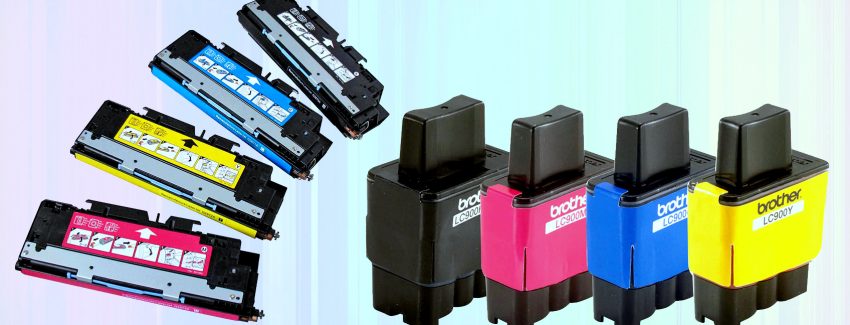
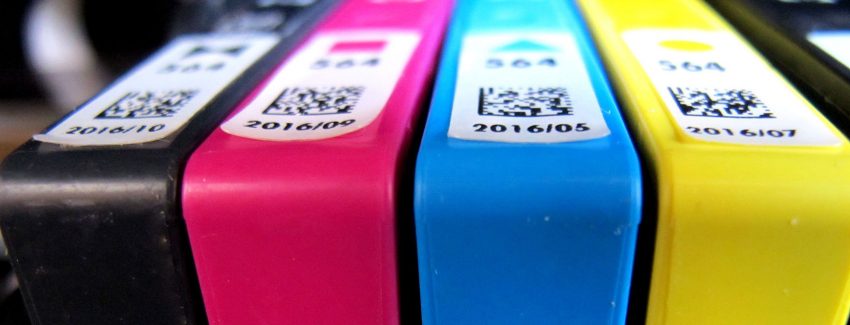
Toner and toner cartridges have become very expensive. It is said that the amount you’ll be spending in buying these items is more expensive than the actual printer. If you are wondering on ways that will help you save up on the cost of buying toners, I have listed a number of ways that can definitely help you.

1. Buy toner cartridges that are compatible to the one you are using. These cartridges are manufactured by third party companies and are made to the precise OEM specifications of your printer. The equipment utilized by these compatible toner companies is comparable with the technology of printer manufacturers.

2. You need to identify the kind of toner that you want to buy depending on the task at hand. If you will just be printing draft copies of a document, it will be best to buy a toner that is cheaper because you do not need to produce high quality prints. But if you have to print files or documents that you will give to clients, you need to use higher quality cartridges. You have to make wise decisions every time you are buying toners in order to save on cost.

3. Get a toner refill kit. It will provide you with the directions and the materials needed to refill your own cartridge. Just make sure to follow the instructions carefully. It is advisable to replace the toner cartridge if you have refilled it for three times already.

4. Utilize remanufactured toner cartridges. There are also companies who produce remanufactured toner cartridges. All you have to do is bring your empty toner cartridge in their store. They will remove the excess toner and then refill the cartridge with the corresponding toner for your printer. These cartridges have to pass a quality check process to make sure that it will work properly.

5. There are a lot of toner cartridges that you can still use by just replacing the drum and not the whole cartridge. It will save you more money because it is cheaper than buying the entire cartridge.

6. You do not have to replace your toner cartridge immediately if you see the initial signs of streaks on your document. All you have to do is remove the toner cartridge from your printer and gently shake it. By doing this, you will still be able to print more documents. Only replace the toner cartridge when you cannot print more than thirty to forty pages without shaking the cartridge again.

7. Check for the best and cheapest toner cartridge available. Before buying, check all the stores near your area or you can also surf online. There are a lot of companies or websites that may offer cartridges at a bargain price. Compare the prices and choose the one that will suit your budget.

8. Find out how many pages a particular toner cartridge can print before buying it. You will be able to determine which toner cartridge can produce more prints at a lesser cost.

9. You can also purchase toner cartridges with separate drums. There are printers wherein toner cartridges and drum are in a single unit while others have it separated. It is said that the drum can last for around 20,000 pages while toner cartridges can only produce 3,000 to 4,000 pages. Cartridges with separate drums can save you more money since you can replace the drum several times than the toner cartridge.

10. Buy toner and toner cartridges online. Since toner companies online do not have to sustain a physical store, you will be able to get cartridges at a cheaper price. You will also have a lot of choices since online stores offer different brands of cartridges.

Handling Issues with Your USB Flash Driver

USB Flash or Thumb Drive

The USB flash drive has become a commonly used accessory in our computers. It is used to transfer data from a pc or laptop to another source and vice versa. Unfortunately, there are common problems that computer users experience when using this device. It is important to be able to identify these issues so that you will know what to do in case you encounter it. At the same time, it will provide you with the right information that you can share with others who are faced with the same concern.

1. The computer cannot read your flash drive – This is one of the most common complaints of people who use flash drives. They have already plugged their flash drives but they cannot open it. Windows cannot read it due to the fact that no interface connection was made through a software driver. Your pc was not able to detect that an external hardware was attached to it.

2. Transferring data takes a lot of time – If you get lucky and Windows was able to detect your flash drive, you might feel frustrated because it takes a long time for the driver to transfer data into your computer and vice versa. Though the standard flash drive is USB 2.0, users still encounter slow transfer of information and sometimes even gaps during the process. If you are in a hurry, this can turn out to be a big problem for you.

3. Interruption in Data Transfer – This usually happens when Windows already recognized your flash drive but during the process of transferring data your connection was interrupted. You can no longer see the USB hardware icon in your computer and you have no choice but to unplug your driver and start again. The tendency is that the read me virus will affect your data and your operating system will not be able to access it anymore. It will pose as a serious concern especially if the file is very important to you.

The good thing about this predicament is that it can easily be prevented or solved by identifying that the problem is from your USB Flash Driver and not from your computer. All you need to do is simply go to the product page of your flash drive and upgrade it. You will no longer worry because you already know how to handle such problems related to USB flash drivers.

The Different Kinds of Office Computers

Thin Client Computer

Computers have become a very important tool for everyone. It is not only used in offices but is available in most households as well. But since there are a lot of computers being utilized in offices today, it is essential to be able to identify each of them.

There are desktop computers, which as the name implies, can be positioned at your desk. Though these computers are not portable, most offices still prefer desktops over laptops because of its many advantages. Desktop computers can be easily upgraded and updated. Consequently, one of its major advantages is that you can use it for a longer period. At the same time, desktop computers are cheaper than any other types of computer that offer the same features. Majority of desktops have a chassis that gives additional security to the systems. Currently, there are many trendy and sleek desktops available in the market.

There are also different kinds of computers being offered in the market which include:

Workstations – Though most people think that is similar to desktops, there is a distinct difference between the two. They may use the same servers in configuration and the usage of power but workstations are more powerful and give high performance. They are mostly used for applications because they provide better graphics and more dependable memory capabilities. Because of this reason, they are mostly utilized for engineering design purposes.

Desktop Computer – They are commonly used at home or in the offices. They can be used for a variety of purposes and are very useful.

Thin Clients – They are intended to reduce the environmental carbon dioxide emission. If you do not require a high end computer, you can use thin clients. They are simple and easy to maintain aside from the fact that they are environmental friendly. Though these computers have restrictions in storage, user interface, applications and rely on servers for its processing requirements, they can give additional workplace for customers.

Your hard drive crashed! Now what?

Data Recovery CD

You haven’t been backing up your hard drive on a regular basis, and now you’ve lost all your work files, your emails, photos and even your playlist! It’s downright depressing, but fret not as there are effective solutions to address this. What you need to do is take a deep breath, keep a level head, set aside the things you don’t have control over, and figure out what’s worth saving.

As hopeless as it seems

Even the most knowledgeable and cautious among us face some form of data loss in our lives. While this can be a result of an electrical problem or a defective hardware configuration, it still is a devastating experience. If all hope seems gone, there are always various means we can turn to alleviate the nuisance of having to recover lost information.

Get Professional Help

First, you’ve got to realize that even if you can handle general repair and troubleshooting of your computer, data recovery is something that requires the assistance of an experienced technician. These professionals are specially trained to address these specific issues and not only perform recovery of missing data, but also be able to repair any damage that occurred on your hard drive. Confirm that the technician has reasonable experience handling similar hard drive brand and operating system. You don’t want to end up with more damage on your system than what you already have.

RAID Configuration – What is this?

Check if your computer operates on multiple disk drives, or what is called a RAID configuration. If this is so, then recovery of your data could be a bit easier. You can try to do this by yourself by removing the specific hard drive that is not working. You can choose to replace it with a new one, or opt to have it refurbished. The remaining hard drives which are not damaged should be able to restore the missing data. However, one drawback of having a system with multiple hard drives is that in cases of multiple failures, you are forced to bring all these drives to a professional computer technician to get them fixed.

Life after Repair

Now that you’re back up and running, it may be the best time to consider planning for unexpected events. If you were able to understand how the first problem occurred, use this information to set-up some form of preventive computer maintenance. Perform regular back-ups and take the extra step by regularly checking that your anti-virus system is updated.